
Glassbox is the compressor you can see into.
FreeFree forever, nothing locked. AU and VST3 on Mac, VST3 on Windows. Name and email, and the download link arrives by email.
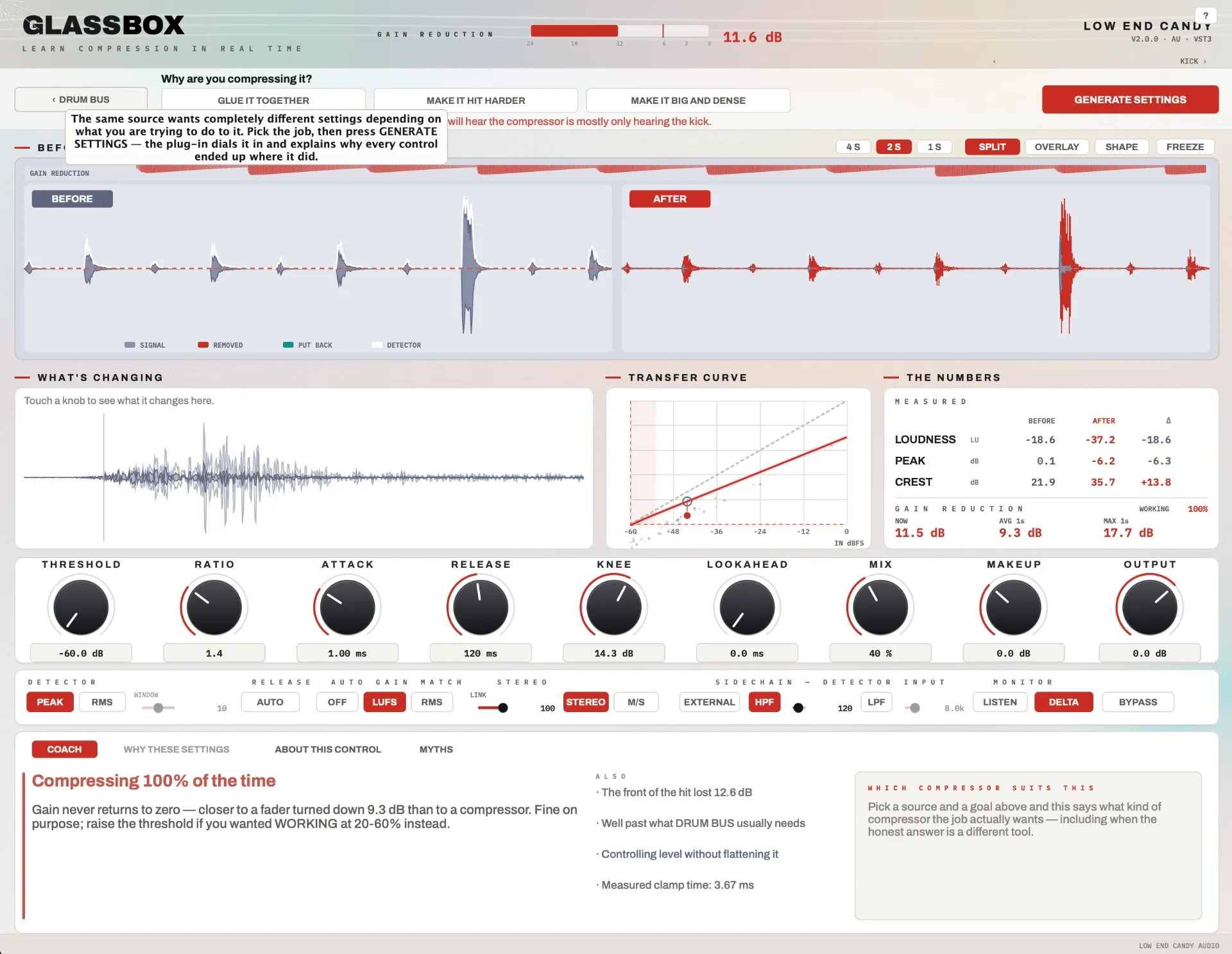
Every number and shape on screen is measured from your own audio while it plays, not guessed.
See
Before on the left, after on the right, same window and scale. Rust where it took level away, teal where it gave it back.
Measure
Short-term LUFS, peak, crest and gain reduction at three timescales, plus a WORKING % for "is this even on?".
Explain
A live COACH says the most useful true thing right now: nothing's crossing threshold, release is longer than a beat, you're comparing 3 dB louder.
Try the interface
The real plugin screen. TapHover over any element for what it does.
Free, for real
Glassbox
Visual compressor
- The full plugin, nothing locked
- AU and VST3 on Mac, VST3 on Windows
- 17 source recipes and the live coach
- No trial clock, no noise bursts
One name and email; the download link arrives by email.
Main features
Controls
- Threshold to −60 dB
- Ratio to 60:1
- Attack 0.05 to 250 ms
- Release 5 to 2500 ms, plus AUTO
- Quadratic soft knee
- True lookahead
- Delay-compensated parallel mix
- Peak or RMS detector
- Sidechain HPF and LPF, external, listen
- Stereo link 0 to 100%, M/S
- K-weighted auto gain
What's changing
- A single transient at full sample resolution, with 30 ms of pre-trigger.
- Touch a control and the before/after difference lights up and labels itself.
- Attack and release each light only their own measured slice of the transient.
Recipes
- 17 source recipes from kick to master bus.
- Each one says why those times suit the source and the classic mistake.
- DIAL IT IN moves the threshold until your audio hits the target.
- Nine deliberately wrong demo presets to learn from.
Questions,answered.
Glassbox
Is it really free?
Yes. The full plugin, free forever, nothing locked and no card anywhere.
How do I get it?
Enter your name and email and the download link arrives by email. Check spam if it isn't there in a couple of minutes.
Is it a real compressor or just a teaching toy?
A real feed-forward, log-domain compressor, using the gain computer and detector from Giannoulis, Massberg and Reiss (JAES, 2012). The curve on screen is drawn by the same function the audio uses.
Compatibility
Does it work on Windows?
Yes, as a VST3.
Does it work in Pro Tools?
Not yet. There is no AAX build, so it won't show up in Pro Tools.