
Premix puts a song in your project, in key and on the grid, in about 15 seconds.
- One-time purchase
- 14-day money-back guarantee
- Mac + Windows
$29 this week (normally $49) until Saturday 11:59 pm PT, then $49. About 15 seconds from search to song in your set. Free updates. Mac VST3 + AU + app; Windows VST3 + app, installer not code-signed yet. Free stems need an Apple Silicon Mac on macOS 14+. Key by email, checked offline, no iLok. Full auto-sync in Live 12.0.5+; other DAWs drag the song to bar 1. Needs internet; the audio is YouTube quality. Card, Apple Pay or Google Pay; Klarna or Afterpay for US buyers.
$49$29 this week — back to $49 after Saturday 11:59 pm PT.
Measured on six songs at six tempos: produced tracks stay within about 15 ms of the grid from bar 1 to the end.
“I've done a few tracks with it now and I'm saving about 30 minutes almost every session.”
Made by producer Beau McLeod (Bohemyth) in Carlsbad, California. Questions go straight to support@lowendcandy.com.
The right version, found for you. The key with its Camelot code. A copy on your grid from bar 1. Stems if you want them. Skip the prep. Start the remix.
Find
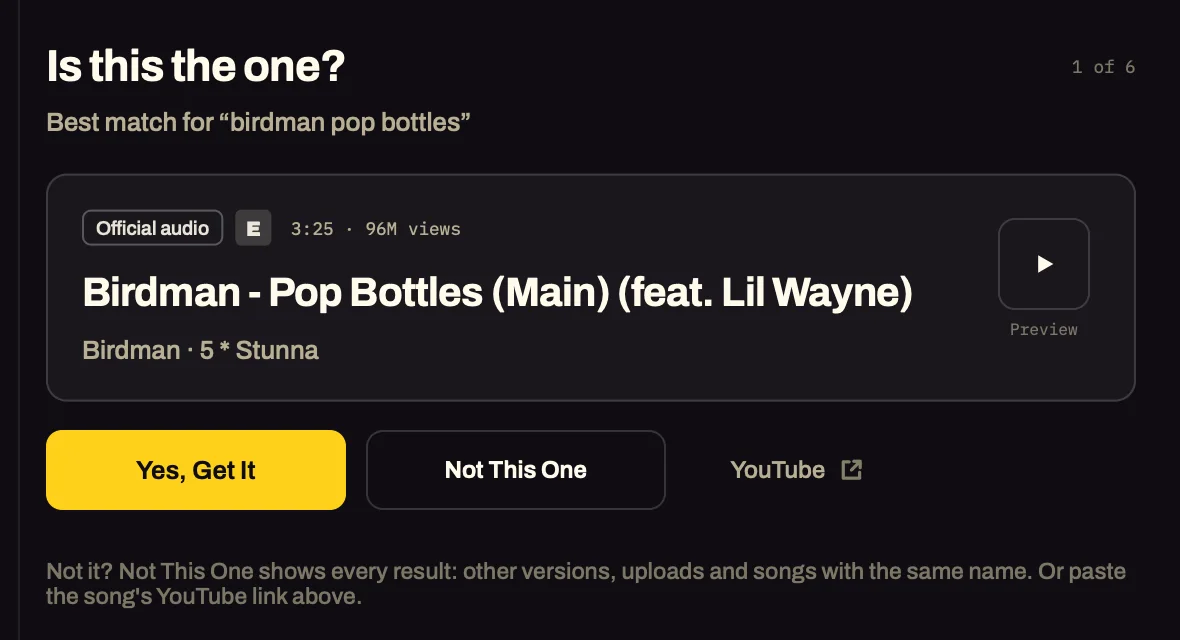
Search a song and Premix picks the official audio, never the music video, then asks: is this the one? Or import a file of your own: a bounce, a demo, a track you bought.
Read
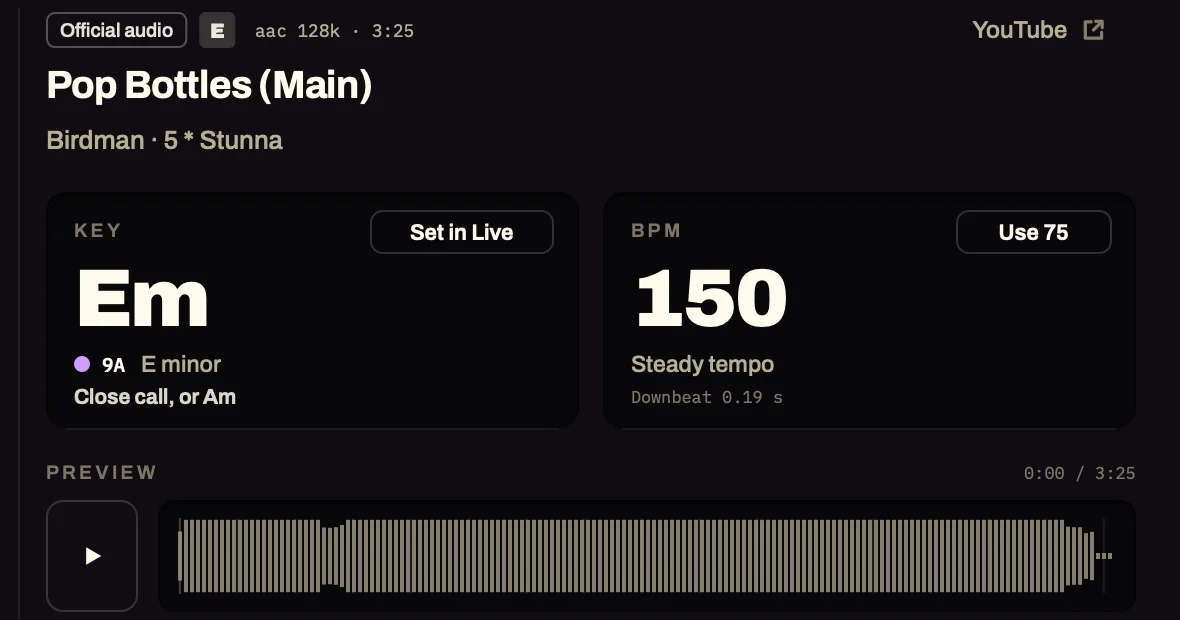
The key with its Camelot code and relative key, the BPM with a one-click half- or double-time switch, and a 24-bit WAV and a 320 kbps MP3.
Land
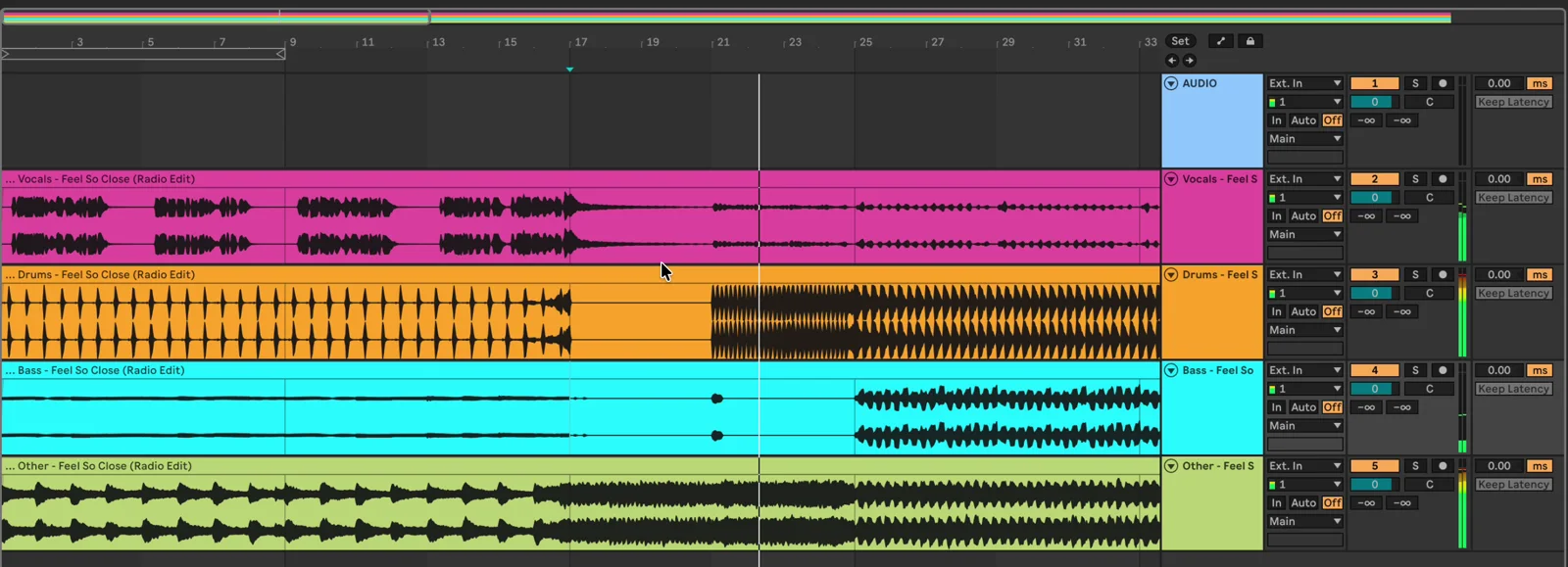
In Ableton Live the song lands at bar 1, warped to the grid, and the set follows its tempo and key. In any other DAW, drag it to bar 1 at your tempo.
Works in your DAW
Premix is a VST3 and AU plugin, plus an app. Put it on any track. Ableton Live 12 gets the full sync; every other DAW gets the song and stems at its tempo, ready to drop on bar 1.
| Works in | Ableton Live 12 | Logic Pro | GarageBand | FL Studio | Bitwig | REAPER | Cubase | Studio One | Pro Tools |
|---|---|---|---|---|---|---|---|---|---|
| Search, key, BPM, WAV + MP3 | ? | ||||||||
| Stems | ? | ||||||||
| Reads your project's tempo | ? | ||||||||
| Song and stems at your tempo, lined up from bar 1 | ? | ||||||||
| Moved into your project's key | ? | ||||||||
| Drops into your project by itself | |||||||||
| Sets your project's tempo and key to the song | |||||||||
| Reads your project's key by itself |
- Ableton Live 12: songs and stems land in the set by themselves from Live 12.0.5 on. Live 10, 11 and early 12 get the drag-in copies, like the other DAWs.
- Other DAWs: drag the song or a stem to bar 1. It comes at your project's tempo, cut to start on its first downbeat. Pick your key in Premix's Project Key.
- Logic Pro and GarageBand: put Premix on a software instrument track (Logic only runs an audio track's plugins while it plays).
- Pro Tools: there's no AAX version. The Premix app runs beside it, and you drag the files in.
- Windows: the VST3 and the app install and run, checked in REAPER on Windows 11. The ticks above were tested on a Mac; on Windows, treat every DAW except REAPER as should work, not tested yet.
On the grid, in any DAW
Outside Live, Premix makes a copy of the song at your project's tempo, cut to start on its first downbeat. Drop it on bar 1 and every beat sits on your grid, to the end of the song. The stems get the same copy, so they line up under it.
It follows the song's own beat map, so a record played without a click comes out straight too. The copy is padded to whole beats and carries a marker every 8 bars and its tempo, which Cubase and others read by themselves.
Pick a Project Key and the copies are transposed into it as well, the nearest way, drums never. Change the project's tempo and the copy follows in about half a second.
Stems
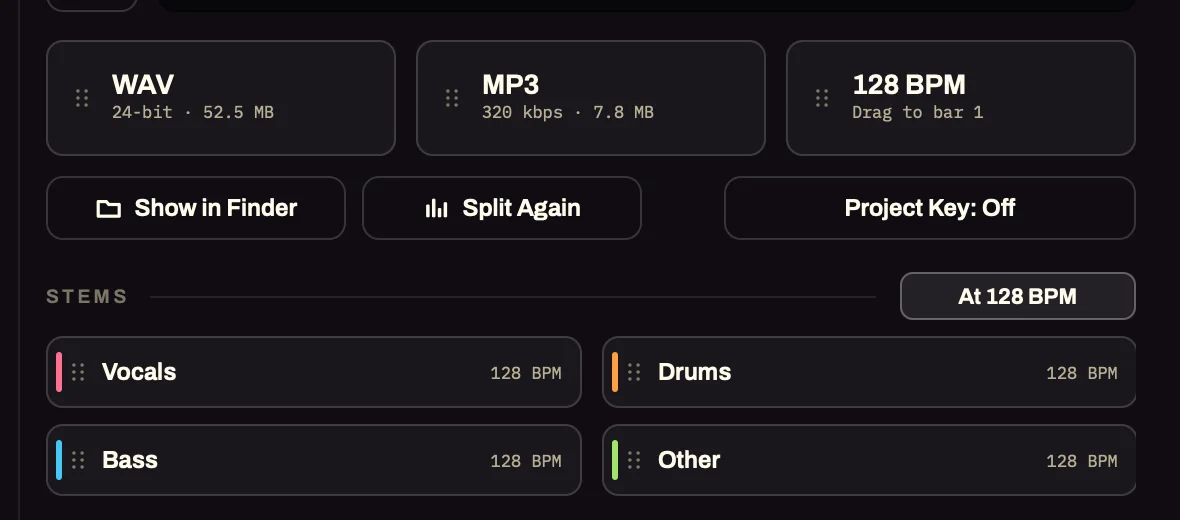
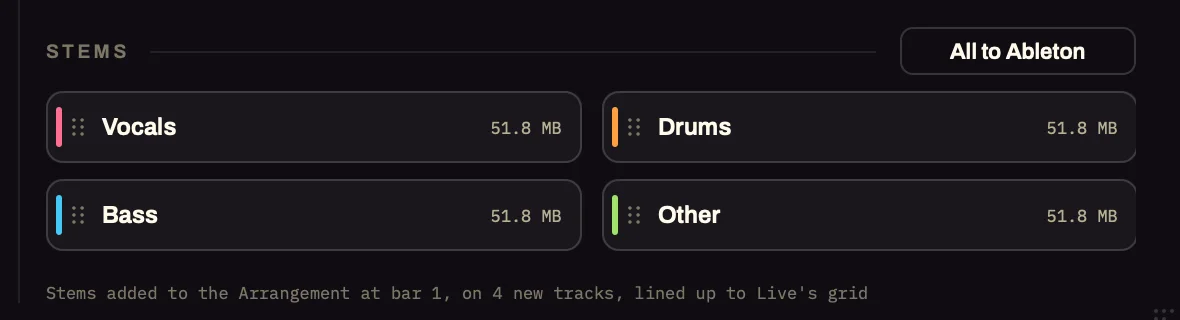
Turn on Split into stems and every new song comes as Vocals, Drums, Bass and Other, on colour-coded tracks at bar 1, lined up with the song.
Free on an Apple Silicon Mac (macOS 14 or newer): about 20 seconds for a 3½-minute song on an M1 Pro, with a cleaner-vocals and a finest setting when you have the time. Or split through your own LALAL.ai account.
Buy Full Quality
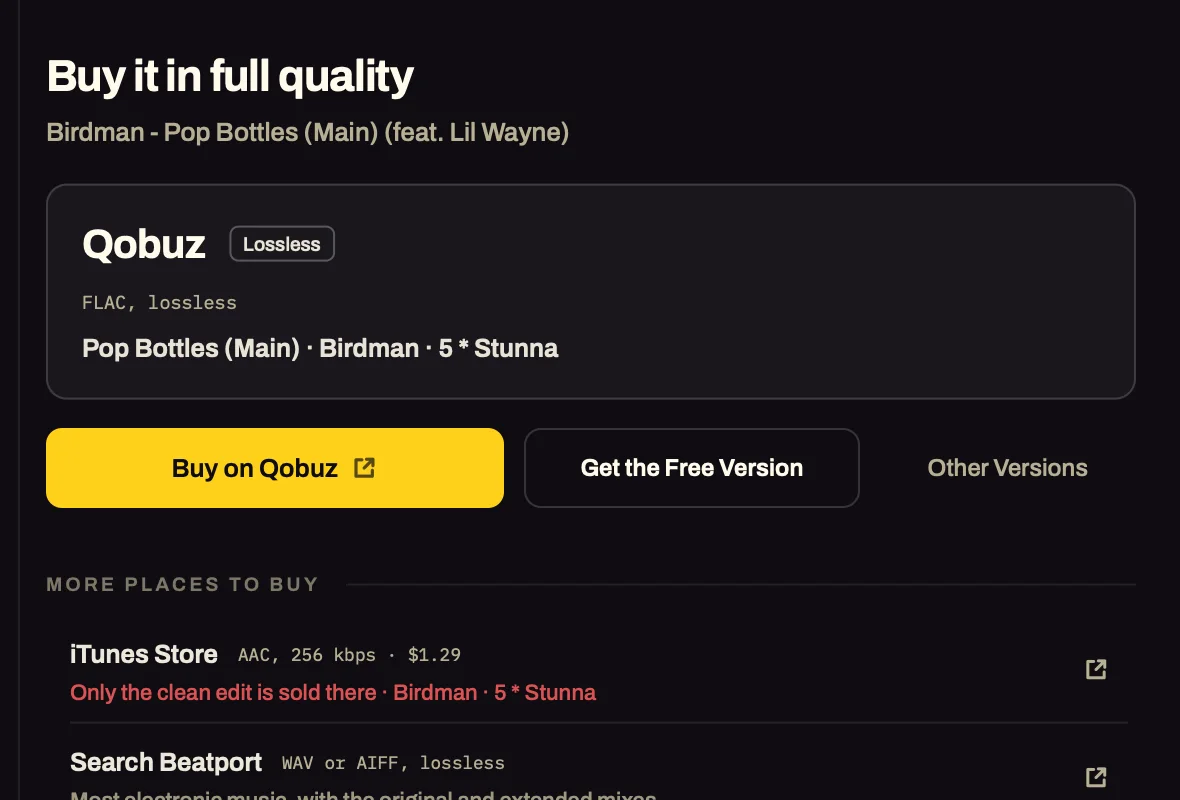
Rather have the real master? Flip to Buy Full Quality and Premix finds where to buy the track itself: lossless on Qobuz, or the iTunes Store, Beatport or Bandcamp, with the link right there.
Buy it, download it, drag it in.
Worth knowing
Premix needs the internet to search and download. The key, the BPM and the free stem split run on your computer.
A download takes about 9 seconds, and that part isn't up to us: YouTube makes every stream wait before it can be fetched. Premix starts fetching the best match while you're still deciding.
The YouTube-quality audio is YouTube's own (usually AAC or Opus around 128 kbps): fine for key, BPM, stems and sketching. For a master, use Buy Full Quality.
The free stem splitter needs an Apple Silicon Mac on macOS 14 or newer, and installs its own 2 GB engine the first time. On Windows and Intel Macs, split through LALAL.ai. On macOS 27, Premix 1.0.5 repairs the stem engine on the first split (about a minute). That fix is new, so if splitting still fails there, write to support@lowendcandy.com and the 14-day guarantee covers you.
For your own sessions and practice. Clear a sample before you release it, like any other.
Only want the key and BPM of audio already in your session? Key & BPM Finder is a separate plugin for that.
Yours forever
Premix
From a song to your session
This week's price — ends Saturday 11:59 pm PT
01d 13h 20m 05s
Then it's back to $49.
- Key, BPM and Camelot code: search a song or import your own
- 24-bit WAV and 320 kbps MP3, named and tagged
- Stems: free on an Apple Silicon Mac (macOS 14+), or with LALAL.ai
- Full sync in Ableton Live 12, drag-in everywhere else
- Mac + Windows, free updates
Instant download and license key after checkout.
Main features
Find
- Import your own files: WAV, AIFF, FLAC, MP3, M4A
- Buy Full Quality: Qobuz, iTunes Store, Beatport, Bandcamp
- Search: the official audio first, never the music video
- Every result with its version: Not This One
Read
- Key, Camelot code and relative key
- BPM with a half- and double-time switch
- A beat grid that follows songs played without a click
Files
- 24-bit WAV and 320 kbps MP3
- Named Artist - Title [Key BPM]
- Key and BPM in the MP3's tags
- A library of every song you grab
Questions,answered.
Premix
Do I need Ableton Live?
No. Live 12 gets the deepest sync, because Premix can place the song in the set and set Live's tempo and key. Every other DAW gets the song and its stems at your project's tempo, ready to drag to bar 1, and the Premix app works on its own.
How does it line up outside Live?
Premix makes a copy at your project's tempo that starts on the song's first downbeat, with the pitch unchanged. Drop it on bar 1 and the beats sit on your grid to the end of the song. We measured it on six songs at six tempos: produced tracks stay within about 15 ms of the grid from bar 1 to the end, and live-band recordings keep the band's own feel.
Which version of Live?
Songs land in Live by themselves from Live 12.0.5 on. Live 10, 11 and early 12 get the drag-in copies the other DAWs get.
Which music can I use it with?
Your own music and tracks you've bought: bring them in with Import File, or let Buy Full Quality show you where to buy a track. Premix is for your own sessions, practice and reference. Use it with music you have the right to use, and follow the terms of the services it gets audio from. If you release, perform or sell something made from a song, you need permission from its rights holders (clear the sample). Buy Full Quality links you to the stores where you can buy the track. More in section 15 of our terms.
Is the audio good enough to release?
The YouTube-quality audio is YouTube's own stream, which is fine for the key, the BPM, stems and sketching. For a master, Buy Full Quality shows you where to buy the track itself, lossless where it's sold that way.
Does it work offline?
Searching and downloading need the internet. The key and BPM analysis and the free stem split run on your computer.
My DAW already splits stems. What does Premix add?
Keep using your DAW's splitter if you like it. What Premix adds comes before that: it finds the official audio from a song's name (never the music video), reads the key with its Camelot code and the BPM, and makes a copy at your project's tempo that starts on the song's first downbeat, so it sits on your grid from bar 1, even for a record played without a click. Its own stems are a bonus: free on an Apple Silicon Mac, or through your LALAL.ai account.
Install and license
How is it activated?
Your purchase email has a license key. Open Premix, click the NOT ACTIVATED badge at the bottom right, paste the whole key into the Activate Premix card and click Activate. One key covers Mac and Windows, and it's checked offline, so there's no iLok.
Windows says the app isn't recognised.
The Windows installer isn't code-signed yet, so SmartScreen may warn once: More info, then Run anyway.
What if I don't like it?
You're covered by the 14-day money-back guarantee: email support@lowendcandy.com and it's refunded.
Return policy
14 days
Full refund on any paid plugin within 14 days. Email support@lowendcandy.com, no questions, no hoops.
Read more