
Key & BPM Finder
The key, relative key and BPM of whatever is playing in your DAW
100% royalty-free. Instant email delivery, lifetime access and free updates.
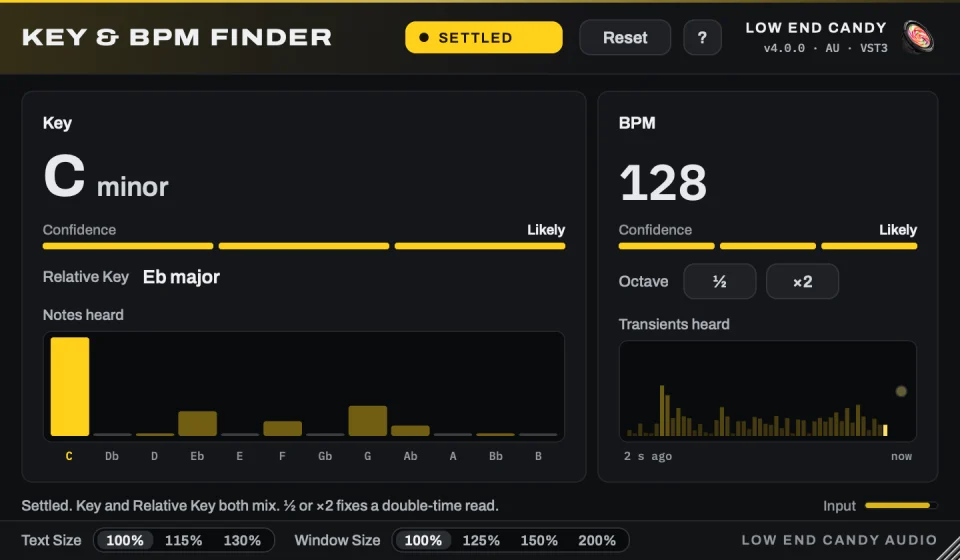
Put Key & BPM Finder on any track, bus or the master, press play, and read the key, its relative key and the BPM within a few seconds. Version 4 is a VST3 and AU plugin for Mac and Windows. No browser tabs, no uploading to sketchy websites, no tapping tempo by hand.
Built for mashups, remixes, DJ edits and sampling: know a loop is in A minor at 143 BPM before you waste an hour fighting a clash. It reads the audio as it plays, so there's no file to find and nothing leaves your computer, and the audio passes through untouched.
How right is it? Measured on 2,458 producer-labelled loops (the hardest case: short, often bass-only), version 4 names the tempo within 4% on nearly three loops in four and the key on one in three; full tracks with chords and a clear beat do better, the Relative Key covers the common major/minor miss, and a Likely / Probable / Unsure label tells you how sure it is. When a tempo reads as double or half time, one click on ½ or ×2 fixes it.
Once you know a track's key, you know its place on the Camelot wheel too — the same logic DJs and remixers use to see at a glance which tracks will mix cleanly together, which ones need a pitch shift first, and which ones will clash no matter what you do to them. Knowing the key before you commit to a mashup or a transition saves the hour you'd otherwise spend fighting two tracks that were never going to sit together.
Already own Key & BPM Finder? Version 4 is yours free.
What's included
- VST3 and AU plugin for Mac (Apple Silicon and Intel), VST3 for Windows
- Reads the key, relative key and BPM of whatever is playing
- Works on a clip, a stem, a bus, the master or a live input
- ½ and ×2 fix a half- or double-time read in one click
- Likely / Probable / Unsure label on every answer
- Runs locally: nothing uploaded, the audio passes through untouched
- Instant email delivery + lifetime updates
Works great with
Producers who grabbed this usually want one of these next.
What People Are Saying
Phaseout
"No more tapping tempo by hand for my DJ edits! Just drop the reference track on the labeled area and it analyzes in seconds. Huge workflow upgrade."
Diana Reyes
"I do a lot of remixes and knowing the relative key up front saved me literally an hour last night. It's fast, drops right into Ableton, and just works. No notes."
Emily Clark
"Life saver for mashups. Literally just drag a track onto the device and it instantly tells me the key and BPM. No more sketchy browser tabs or uploading audio to weird sites. Worth every penny."